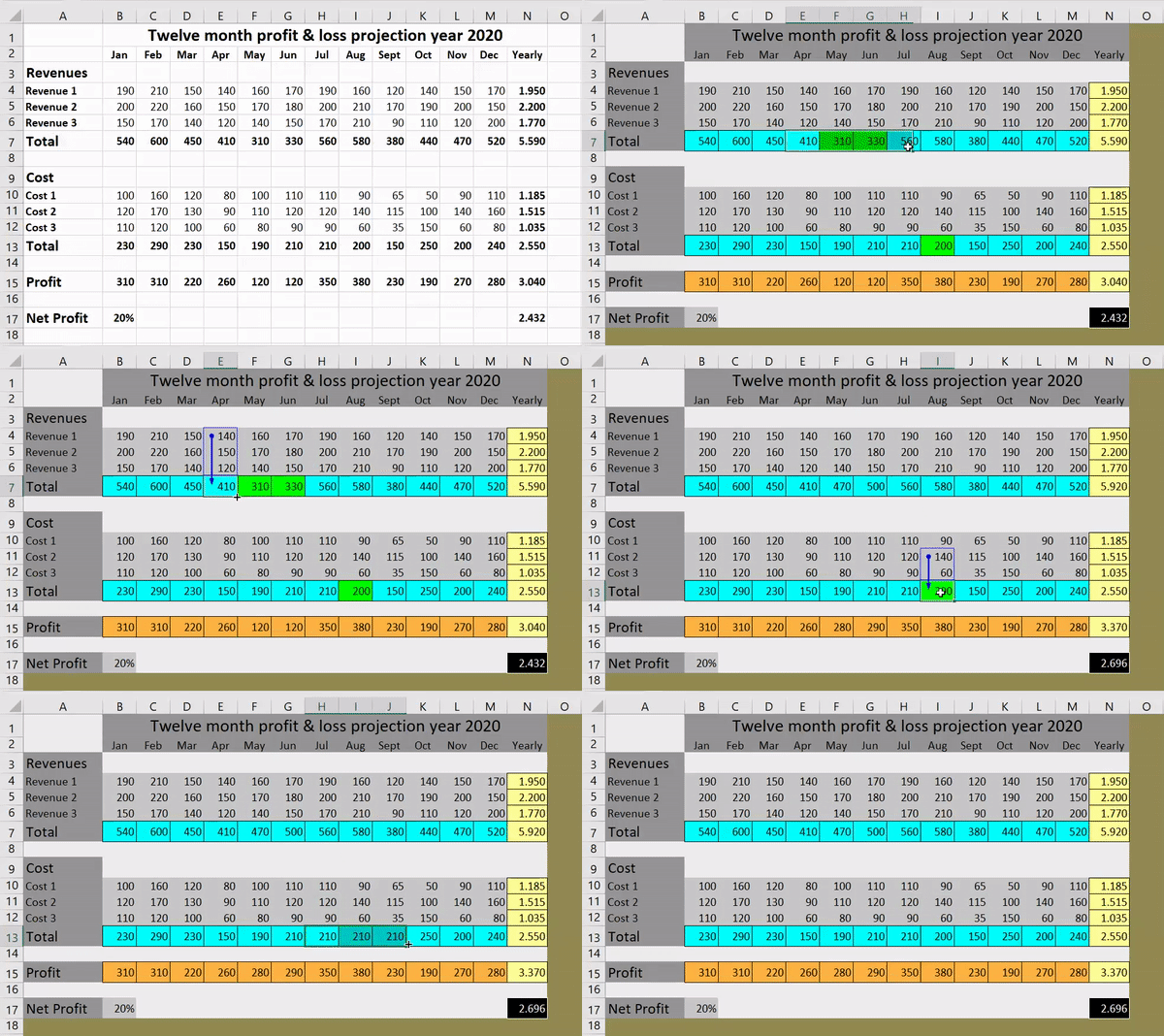
Excel group rows and columns function is an accessory to make hiding/unhiding rows and columns easier. Worksheets with lots of complicated and detailed information can be hard to read and analyse.
Realtime
Error Recognition
Insights
Realtime Data
Error Free
Automatic Checks
Expert
Automatic Checks
ExcelAnalyzer as add-in Excel
Excel group rows and columns function is an accessory to make hiding/unhiding rows and columns easier. Worksheets with lots of complicated and detailed information can be hard to read and analyse.
Data
Review
ExcelAnalyzer
Sign in
Analyze
Code
Raster
Height
Views
Lists
ExcelAnalyzer features
Excel group rows and columns function is an accessory to make hiding/unhiding rows and columns easier. Worksheets with lots of complicated and detailed information can be hard to read and analyse.
Highlighting Unique Formulas
Excel group rows and columns function is an accessory to make hiding/unhiding rows and columns easier. Worksheets with lots of complicated and detailed information can be hard to read and analyse.
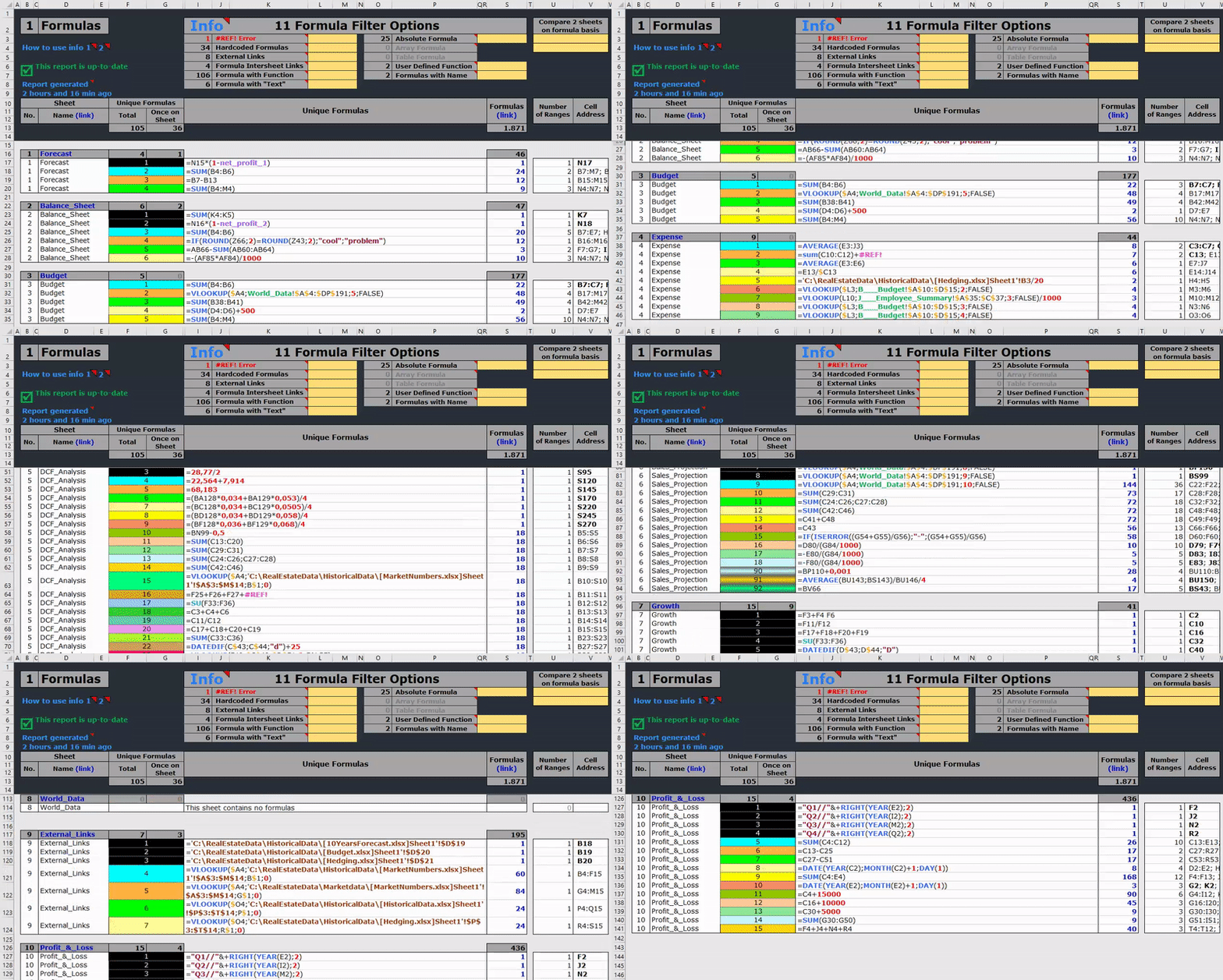
Formulas Report
Excel group rows and columns function is an accessory to make hiding/unhiding rows and columns easier. Worksheets with lots of complicated and detailed information can be hard to read and analyse.
ExcelAnalyzer in a nutshell
Excel group rows and columns function is an accessory to make hiding/unhiding rows and columns easier. Worksheets with lots of complicated and detailed information can be hard to read and analyse.
ExcelAnalyzer is your tool
Excel group rows and columns function is an accessory to make hiding/unhiding rows and columns easier. Worksheets with lots of complicated and detailed information can be hard to read and analyse.
We’ll have a chat about your business needs and how to draw and check your excel spreadsheets. Then we’ll run through key features and benefits of ExcelAnalyzer and any questions you may have.
Our demos usually last between 30- 60 minutes, depending on how many questions you may have. We are very flexible with demo times and will work around your timeframe to our best ability.
If you like what you see, sign up to our free 30 day trial and instantly get going with ExcelAnalyzer. We provide unlimited support and online training to all users, there are no restrictions to the support we provide.
Free Trial
ExcelAnalyzer
Leer hoe u ExcelAnalyzer gebruikt. Ga aan de slag met de basis of breid je vaardigheden uit met onze volledige lijst met instructievideo’s.
The constant improvement and tight collaboration with some of our clients has enabled us to maintain ExcelAnalyzer as the most accurate and best performing Excel review tool in the market
+ More
Contact Us
Maarten
Patrick
Brian
Maarten, Patrick and Brian are here to help, providing customized ExcelAnalyzer demonstrations and training, whenever it’s needed.










 NL
NL  Skype: